Redmi 9/9A/10 Dead Boot Repair: Full Firmware Flash with MTK Auth Bypass

Download Redmi 9/9A/10 Dead Boot Repair: Full Firmware Flash with MTK Auth Bypass – Ultimate Guide
Recovering a bricked device is now easier with our guide on Redmi 9/9A/10 Dead Boot Repair: Full Firmware Flash with MTK Auth Bypass. This comprehensive solution allows technicians and enthusiasts to revive Xiaomi devices that refuse to power on or are stuck in a boot loop.
This specific firmware package is essential for fixing software-related hardware failures caused by incorrect flashing or corrupted system files. By utilizing the MTK Auth Bypass method, you can bypass the secure boot security without needing an authorized Xiaomi account.
We provide the most stable and official scatter-based firmware to ensure a secure repair process. Following this method will restore your MediaTek-based Redmi smartphone to its factory settings and functional state efficiently.
Why This Firmware is Essential for Your Redmi Device
- Unbrick Dead Devices: Effectively fixes dead boot issues where the phone shows no sign of life.
- No Auth Required: Includes instructions to use MTK Auth Bypass, saving you from expensive authorized flashing services.
- System Restoration: Removes system bugs, removes screen locks, and fixes stuck on Mi Logo problems.
⚠️ DISCLAIMER
Flashing firmware on MediaTek chipsets involves deep system modification. This process may void your warranty or cause permanent damage if not followed correctly; proceed at your own risk.
📊 File Information
| File Name | Redmi_MTK_Global_Repair_Package.zip |
| Device Name | Redmi 9 / Redmi 9A / Redmi 10 (MTK) |
| Chipset | MediaTek MT6765 / MT6768 / G88 |
| Android Ver | Android 10 / 11 / 12 |
| Flash Tool | SP Flash Tool (v5.x or higher) |
Minimum Requirements
✅ Supported Tools & Requirements
| Host PC: | Windows 7 / 8 / 10 / 11 (32-bit & 64-bit) |
| USB Cable: | Original or High-Quality Micro-USB/Type-C Cable |
| USB Driver: | MediaTek (MTK) USB VCOM Drivers |
| Battery Level: | At least 50% charge recommended |
🛠️ Best Flashing Tools for this Device
To successfully repair a dead boot on these MediaTek models, the following professional tools are highly recommended:
- SP Flash Tool: The industry standard for flashing scatter-based firmware on MediaTek devices.
- MTK Auth Bypass Tool: A critical utility to disable the Secure Boot protection on modern Redmi phones.
- Unlock Tool / TFT Unlock: Premium alternatives that offer a “one-click” solution for Redmi Dead Boot Repair.
⚡ How to Flash
- Step 1: Download and extract the Redmi Full Firmware and the MTK Auth Bypass Tool on your PC.
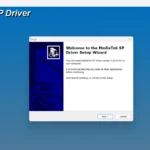
- Step 2: Install the necessary MTK VCOM USB Drivers and LibUSB filter on your Windows system.
- Step 3: Launch the MTK Auth Bypass Tool and click on “Disable Auth” while connecting your device in BROM mode (Volume buttons + USB).
- Step 4: Open SP Flash Tool, load the Scatter File from the firmware folder, and ensure all partitions are selected.
- Step 5: Click “Download” in SP Flash Tool and wait for the “Download OK” green tick to appear.
Rate & Review This Firmware
User Reviews
No reviews yet. Be the first to review!
About the Author / Developer