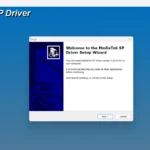
Download & Install MTK Preloader VCOM Driver (Complete Guide & Error Fix)

Overview of Download & Install MTK Preloader VCOM Driver (Complete Guide & Error Fix)
Are you struggling with an **MTK USB driver install** on your Windows PC? The **Mediatek VCOM driver fix** is essential for anyone looking to flash firmware or unbrick devices using various Mediatek-based tools effectively.
Installing the correct **MTK Preloader driver** ensures your computer recognizes your smartphone even when it is completely powered off. This is a vital step to prevent the common **SP Flash tool driver error** during the flashing process.
This comprehensive guide provides the official drivers needed to bridge the communication gap between your PC and MediaTek hardware. Whether you are repairing software or upgrading OS versions, these drivers offer a stable and **secure connection**.
Without a proper VCOM setup, your device may show up as an “Unknown Device” in the Device Manager. Our package includes the **latest signed drivers** to bypass signature enforcement issues on modern Windows versions like 10 and 11.
By following this guide, you eliminate connectivity drops and ensure **high-speed data transfer** during sensitive operations. This is the ultimate solution for developers, technicians, and Android enthusiasts alike.
Core Benefits
- Enhanced Productivity: Eliminates connection timeouts during the flashing process for a smoother workflow.
- User-Friendly Interface: Supports both **auto-installer** and manual “Add Legacy Hardware” methods for flexibility.
- Reliable & Fast: Optimized for high-speed data transmission between the **MediaTek chipset** and Windows OS.
📥 Installation Guide
- Step 1: Download the MTK VCOM Driver package and extract it to your desktop.
- Step 2: Open Device Manager on your PC (Right-click Start > Device Manager).
- Step 3: Click on your Computer Name, then go to Action > Add legacy hardware.
- Step 4: Click Next, select “Install the hardware that I manually select from a list,” and click Next.
- Step 5: Select “Show All Devices,” click Have Disk, and browse to the extracted folder.
- Step 6: Choose the `.inf` file corresponding to your OS version and click OK to install.
- Step 7: Restart your computer to finalize the MTK Preloader driver setup.
✨ Key Features
- Universal Compatibility: Supports all MediaTek chipsets including MT65xx, MT67xx, and Helio series.
- Windows Signature Support: Includes drivers compatible with Windows 10 and 11 64-bit digital signature requirements.
- Fixes COM Port Errors: Resolves the “Serial Port Not Found” and “BROM Error” within SP Flash Tool.
- All-in-One Package: Contains Preloader, VCOM, CDC, and DA USB VCOM drivers in a single download.
- Lightweight Design: Extremely small file size that does not consume system resources.
Minimum Requirements
🖥️ Requirements
| Operating System | Windows 7, 8, 8.1, 10, 11 (32-bit & 64-bit) |
| Processor | Intel Pentium 4 or higher |
| RAM | 512 MB Minimum |
| Storage | 20 MB Free Space |
| USB Port | USB 2.0 or 3.0 Port |
📜 What’s New
- v3.0.1: Added full support for Windows 11 23H2 update.
- Update: Improved driver stability for Helio G-series chipsets.
- Fix: Resolved the “Driver not digitally signed” error on x64 systems.
- Update: Enhanced baud rate support for faster firmware writing.
Rate & Review This Firmware
User Reviews
No reviews yet. Be the first to review!
About the Author / Developer