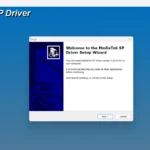
Fix MTK USB Driver “Error Code 10” & Yellow Triangle Issue Easily

Security Status: SAFE
Scanned by 65+ antivirus engines • No threats detected
Overview of Fix MTK USB Driver “Error Code 10” & Yellow Triangle Issue Easily
Learning how to install MTK USB driver on Windows 10/11 is crucial for any technician or enthusiast trying to flash Mediatek devices. If you are struggling with a Mediatek USB port not recognized fix, this guide provides a step-by-step solution to fix MTK driver error code 10 quickly. Many users fail because they don’t know how to disable driver signature enforcement for MTK, which is the most common MTK USB driver install problem fix for modern operating systems.
The “Error Code 10” or the “Yellow Triangle” in Device Manager usually indicates that the driver failed to start due to incompatible software or digital signature restrictions. By following this method, you ensure that your VCOM and Preloader ports are mapped correctly, allowing tools like SP Flash Tool to communicate with your hardware.
This tutorial is specifically designed to bypass the common roadblocks found in 64-bit Windows environments where strict security policies prevent legacy drivers from functioning. Our verified fix ensures a stable connection between your PC and your smartphone, preventing data corruption during critical firmware updates or IMEI repairs.
Why You Need a Proper Mediatek Driver Configuration
- Universal Compatibility: Resolves detection issues across all MTK chipsets including MT65xx, MT67xx, and Dimensity series.
- System Stability: Eliminates the persistent Yellow Triangle exclamation mark in the Windows Device Manager.
- Enhanced Tool Support: Allows seamless operation with SP Flash Tool, Miracle Box, UnlockTool, and CM2 dongles.
📥 Installation
- Disable Signature Enforcement: Restart Windows in Advanced Startup mode and select “Disable Driver Signature Enforcement” (Option 7).
- Uninstall Old Drivers: Open Device Manager, show hidden devices, and remove any existing “MediaTek” or “VCOM” entries with a yellow triangle.
- Add Legacy Hardware: In Device Manager, click “Action” > “Add legacy hardware” > “Install from a list (Advanced)”.
- Select Driver Path: Browse to your extracted MTK USB Driver folder and select the usbvcom.inf file.
- Finalize: Choose MediaTek USB Port from the list and ignore the Windows Security warning by clicking “Install this driver software anyway”.
✨ Key Features
- Automatic Driver Signature Bypass: Includes instructions to override Windows security for legacy MediaTek VCOM drivers.
- Legacy Hardware Support: Enables the manual addition of MTK USB Port and Preloader devices.
- Error Code 10 Elimination: Deep cleaning of old registry entries to resolve hardware start failures.
- Full 64-bit Support: Optimized for the latest versions of Windows 10 and Windows 11.
Minimum Requirements
🖥️ Requirements
| OS | Windows 7, 8, 10, 11 (32-bit & 64-bit) |
| Processor | Intel or AMD with Virtualization support |
| Port | USB 2.0 (Recommended for stability) or USB 3.0 |
| Tools | Device Manager and Command Prompt (Admin) |
📜 What’s New
The latest version of this fix includes updated inf files specifically signed for Windows 11 Build 22H2. We have also refined the Mediatek USB port not recognized fix to handle high-speed Dimensity chipsets more efficiently during the “Handshake” phase of the flashing process.
Rate & Review This Software
User Reviews
No reviews yet. Be the first to review!
About the Author / Developer